
Mila
for Android
Your work,
in your pocket.
Follow the business, receive goods, approve requests and clock in from your phone. Sign in with the same email and password you use on the website.
Version 0.1.0 · 75 MB · updated 19 Nov 2026
What your team does with it
Each person sees what their role allows, the same as on the website.
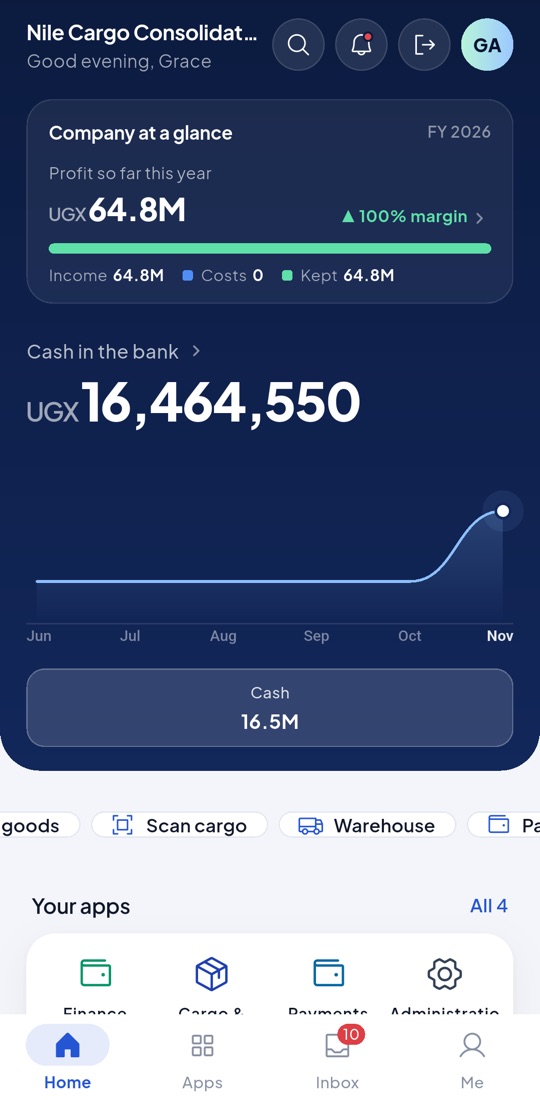
The business at a glance
Profit so far, cash in the bank and what is waiting for you, the moment you open it.
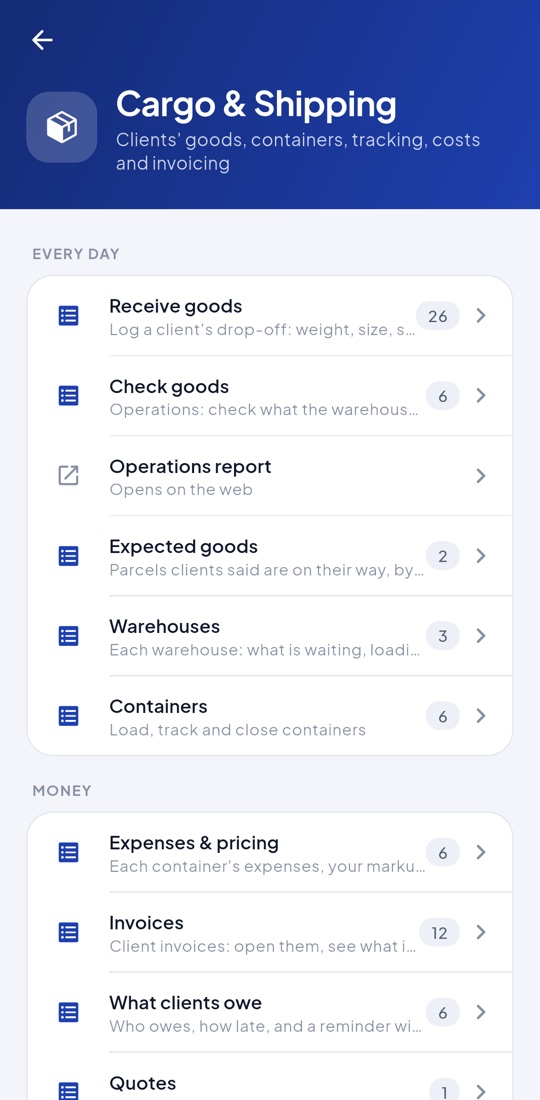
Everything your company uses
Cargo, finance, payments and the rest, each with the counts that need attention.
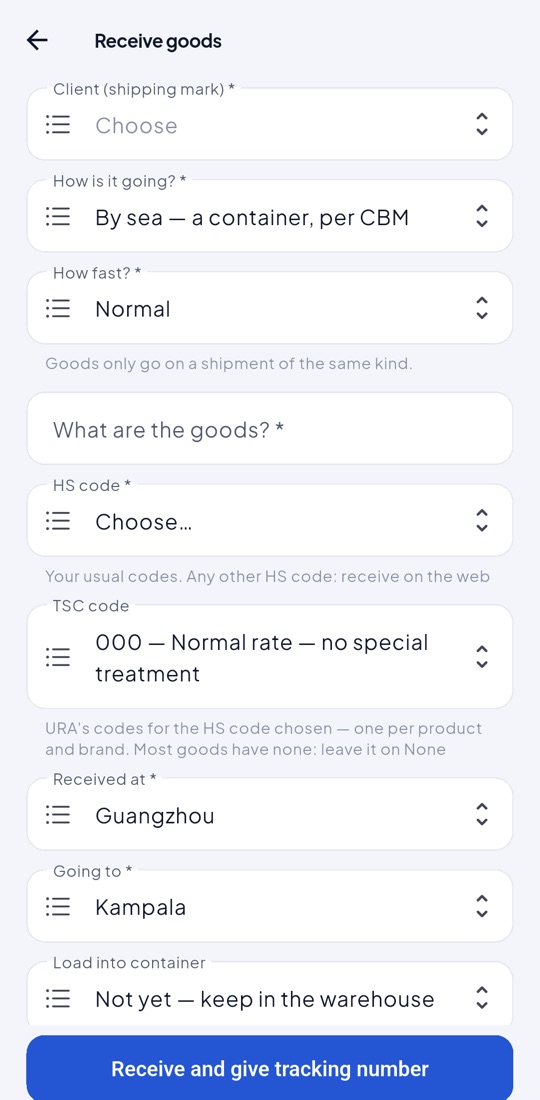
Work where it happens
Receive goods at the warehouse with photos and customs codes, and give the tracking number on the spot.
Installing takes a minute
Mila is not in the Play Store yet, so Android asks you to allow it once.
1
Download
Tap Download for Android. If Chrome says the file might be harmful, tap Download anyway: it says that about every app from outside the Play Store.
2
Allow the install
Open the file from your notifications or Downloads. If Android asks, tap Settings, switch on Allow from this source, then go back.
3
Install and sign in
Tap Install. If Play Protect warns about an unknown app, tap More details, then Install anyway. Open Mila and sign in.
Updating
Download again from this page and install over the old one. You stay signed in and nothing is lost.
On an iPhone?
The iPhone app is coming to the App Store. Until then, open Mila in Safari. It works on a phone screen too.
Is it the real app?
Only download Mila from this page. Every version is signed by Babox Ventures, so Android refuses a copy that has been changed.
Technical details
SHA-256 0a3dbf20f7c87c26b217b2a8d394f6e1dffc4b77852bf253867e8fbdf99846bd
Build 2026111902